



FAQs
My browser is compatible according to your list, but I'm still experiencing issues with eConsent/eSigning of Disclosures. What do I do next?
Your browser's cookie settings may need to be updated. Please follow the steps provided below:
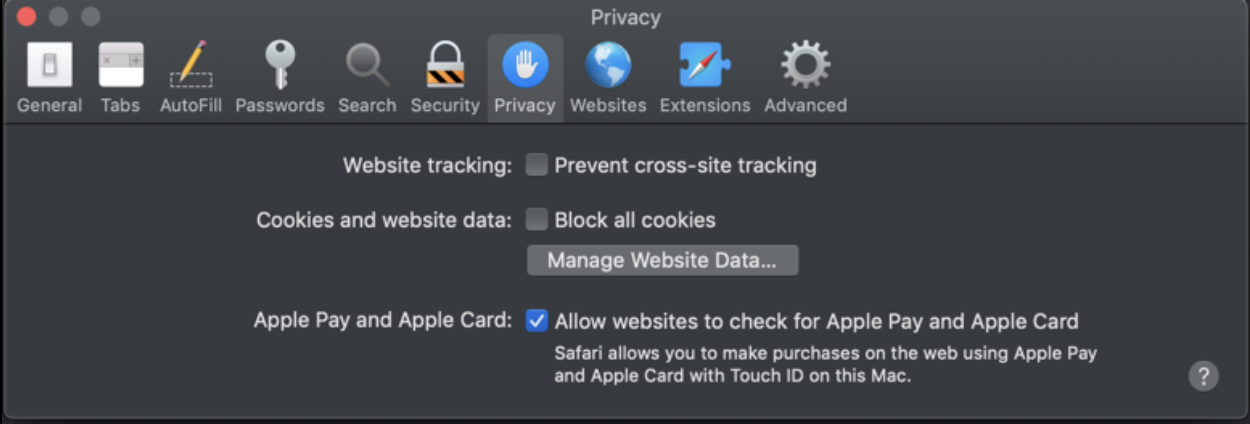
- Safari (Mac):
- With Safari open, choose "Safari" from the top-left corner of your screen
- Select "Preferences" from the menu, then "Privacy"
- Uncheck both the "Prevent cross-site tracking" and "Block all cookies" options
-
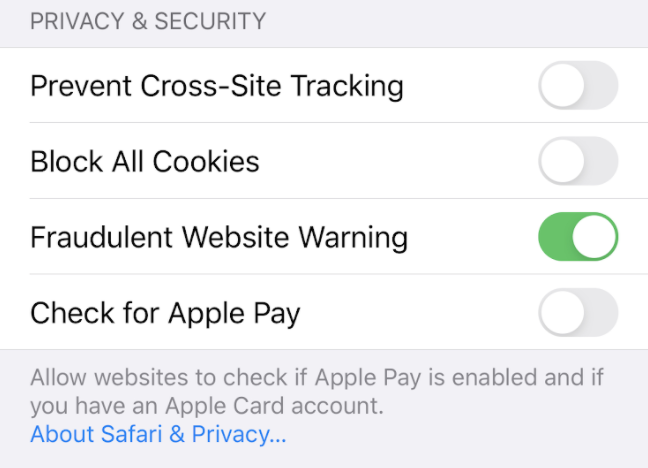
- Safari (iPhone/iOS):
- Open the "Settings" app
- Scroll down and select "Safari"
- Scroll down to the "PRIVACY & SECURITY" section and toggle off both the "Prevent Cross-Site Tracking" and "Block All Cookies" options
-
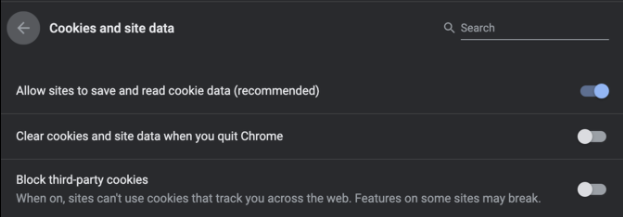
- Google Chrome (all operating systems):
- At the top-right corner of your browser window, click on the three, vertical dots, then "Settings" and choose "Advanced"
- Under "Privacy and Security," select "Site Settings" and then "Cookies and site data"
- Toggle off the "Block 3rd-Party Cookies" option
-